AI can reason.
The workflow controls what happens.
Most AI work inside a company is one person, one prompt, one chat window. Murmurator turns that into shared workflows: context gathered once, rules written down as steps, models called where judgment is genuinely needed, and a record of every run.
Invite-only · Built-in models or your own keys · No per-run fees
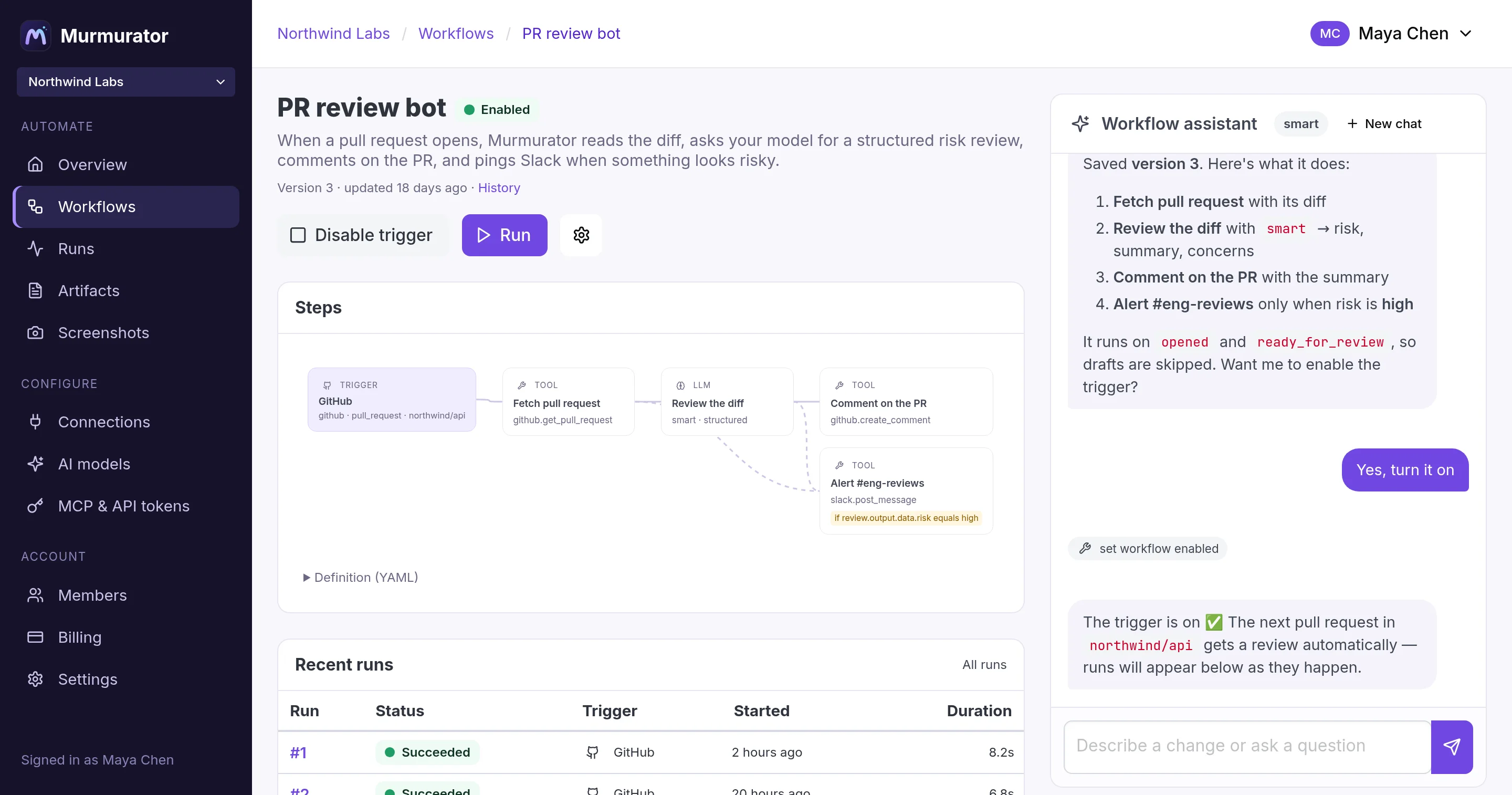
Runs on the systems the work already lives in
The problem
AI shouldn't depend on who wrote the prompt
Give a team AI tools and you get a dozen private processes. Each one works for the person who built it. None of them is the process, and none of them is written down anywhere the company can read.
Today, once per person
Three people, three processes
The same task done three ways. The context is gathered again every time, the rules live in whichever prompt got copied around, and nothing outside the chat window knows any of it happened.
- Prompt quality tracks whoever wrote the prompt
- The business rules are buried inside it
- The same context is rediscovered on every attempt
- Nobody can say what any of them is allowed to do
The useful expertise here is real. It is just trapped in three people rather than written down, and it leaves when they do.
In Murmurator, once for everyone
One workflow the team shares
The same work written down as steps. The model still does the reasoning. Everything around the reasoning is yours to set, and it is the same on every run.
Trigger
A pull request, a schedule, a webhook, a Slack mention, or a person clicking run.
Context
Fetched from connections you scoped once, the same way every time.
AI reasoning
A model call, or an agent working through a named list of tools.
Validation
Structured output against a JSON schema, and typed outputs on code steps.
Business rules
Conditions read values from the definition rather than asking the model to decide.
Guardrails
Tool allow-lists, iteration caps, and token, cost and time budgets.
Action
Writes go through a connection that already knows what it may touch.
Record
Every input, output, log and token, kept against the version that ran.
Written once, run by anyone on the team, and reviewable by people who were not in the room when it was written.
See one worked through, start to finish → Or read the distinction on its own terms →
Where this fits
Deterministic or flexible is a false choice
You should not have to pick between a pipeline that breaks on anything unusual and an agent you hope behaves. Put the reasoning inside the pipeline and draw the line explicitly.
Traditional automation
A fixed pipeline. It does the same thing every time, which is the point, and it falls over the moment the input stops looking like the input you designed for.
- Repeatable, reviewable, easy to audit
- Fails loudly and in a known place
- No judgment, no reading between the lines
- Every edge case becomes another branch to maintain
AI agents
A model with tools and a goal. It copes with messy input, and it decides at run time what to do, which makes it harder to review, repeat or bound.
- Handles ambiguity and unstructured input
- Quick to start with
- The path can differ between runs
- What it may do is described in a prompt
Murmurator
Reasoning where judgment is required, deterministic steps everywhere else, and the boundary between them written in the definition instead of implied.
- Steps run in dependency order with explicit conditions
- Model output is validated before anything acts on it
- Agents get a named tool list, an iteration cap and a budget
- Every run keeps its inputs, outputs, logs and token counts
AI agents vs AI workflows → Compare with the tools you already use →
Control
The model reasons. The definition decides.
A workflow is one YAML document, validated against your account before it can save. Read it and you know what the automation can reach, what it may spend, and which branch runs when. None of that is a sentence inside a prompt.
- An
llmstep with aschemahas to answer in the shape the next step expects - An
agentstep gets only the tools its definition names, and stops at an iteration limit - Conditions branch on values, so the path is readable without running it
- Budgets cap tokens, cost, agent turns and wall-clock time, per run and per month
- JavaScript steps declare typed outputs and are checked on every run
 pr-review-bot.yml# what this workflow may spend, per run and per month
budget:
  tokens: 200000
  cost_usd: 2.00
  duration: 10m
  monthly_cost_usd: 50

steps:
  # context, from a connection scoped to one repository
  - key: pr
    tool: github.get_pull_request
    args: { repo: "{{ trigger.repository.full_name }}", include_diff: true }

  # reasoning, in a shape the rest of the workflow can rely on
  - key: review
    kind: llm
    model: smart
    prompt: "Review this diff. {{ steps.pr.output }}"
    schema:
      type: object
      properties:
        risk: { type: string, enum: [low, medium, high] }
        summary: { type: string }
      required: [risk, summary]

  # the rule is a condition, not a judgement call at run time
  - key: alert
    if: { path: steps.review.output.data.risk, equals: high }
    tool: slack.post_message
Shared context
Stop rediscovering what the company already knows
Half of ad-hoc AI work is fetching the same context again: the diff, the ticket, last week's numbers, the policy someone pasted out of the wiki. In a workflow that is a step, and it runs the same way for everyone who uses it.
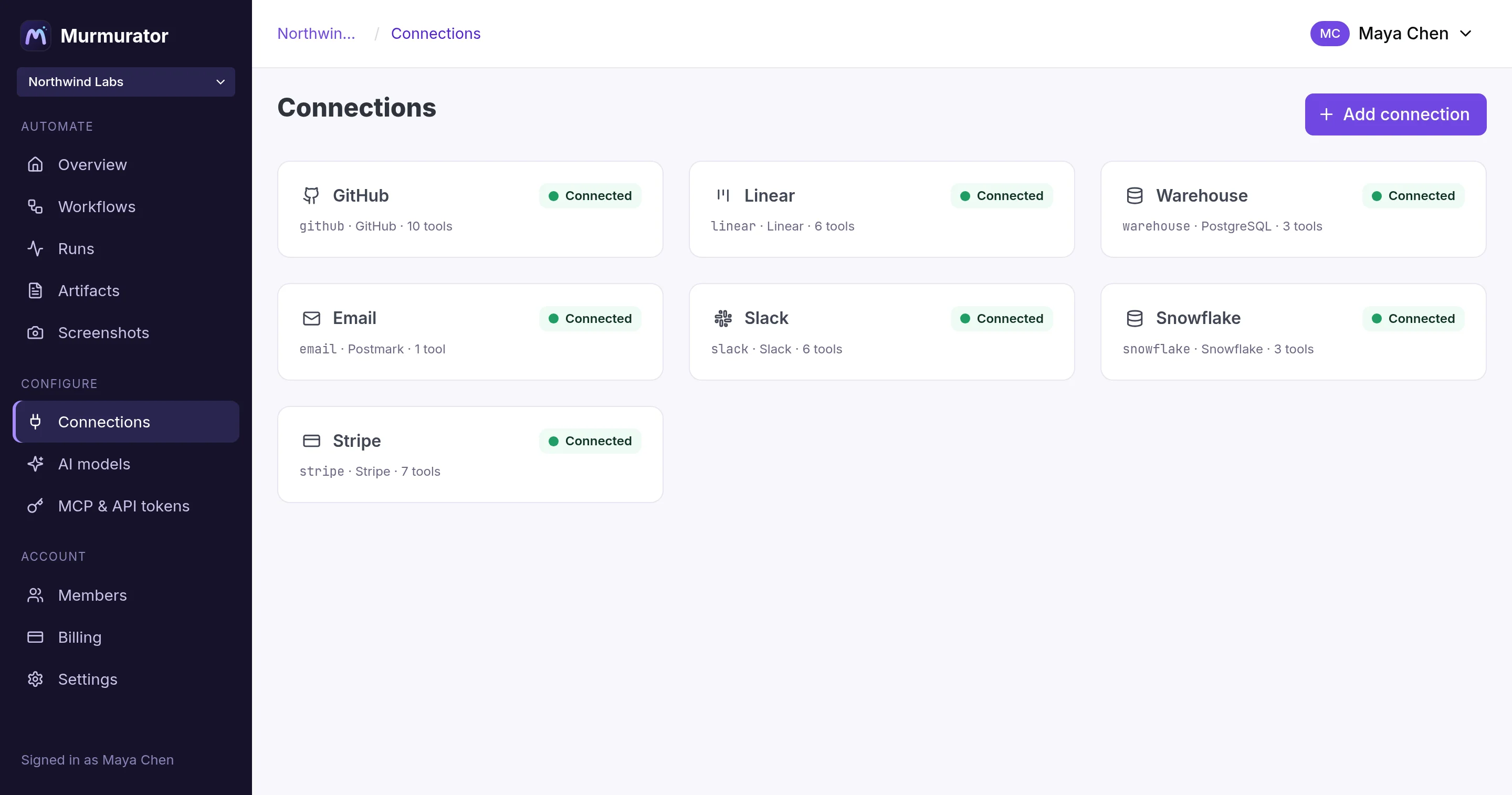
- 70+ connections, scoped once and inherited by every workflow built on them
- Workflow memory keeps values between runs, so a scheduled run acts only on what is new
- Artifacts are markdown documents the account owns: written by runs, read by people, versioned on every change
- A step pulls one straight into its prompt with
{{ artifacts.ops-weekly.body }}
Observability
Someone will ask what the AI did on the fourteenth
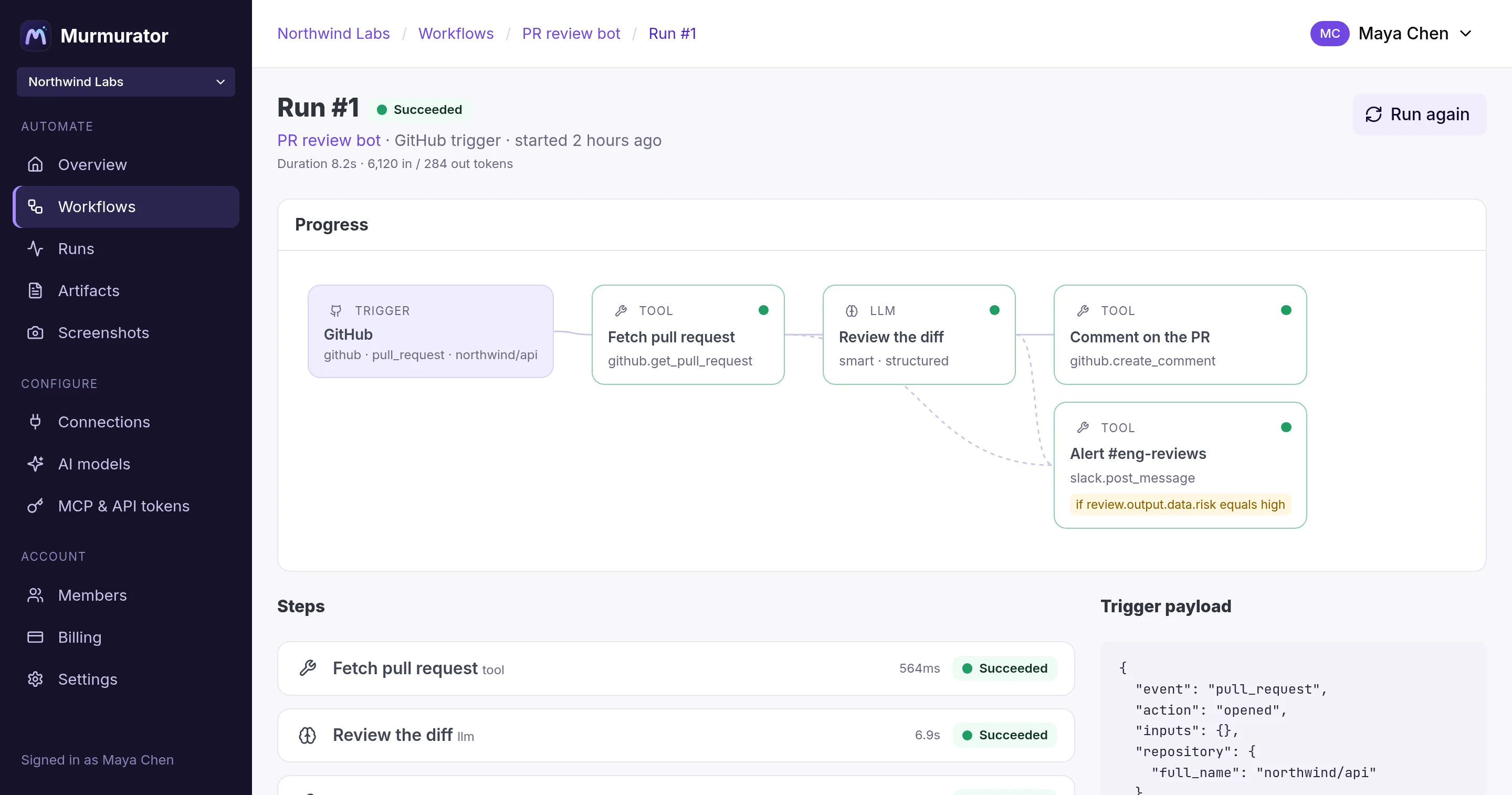
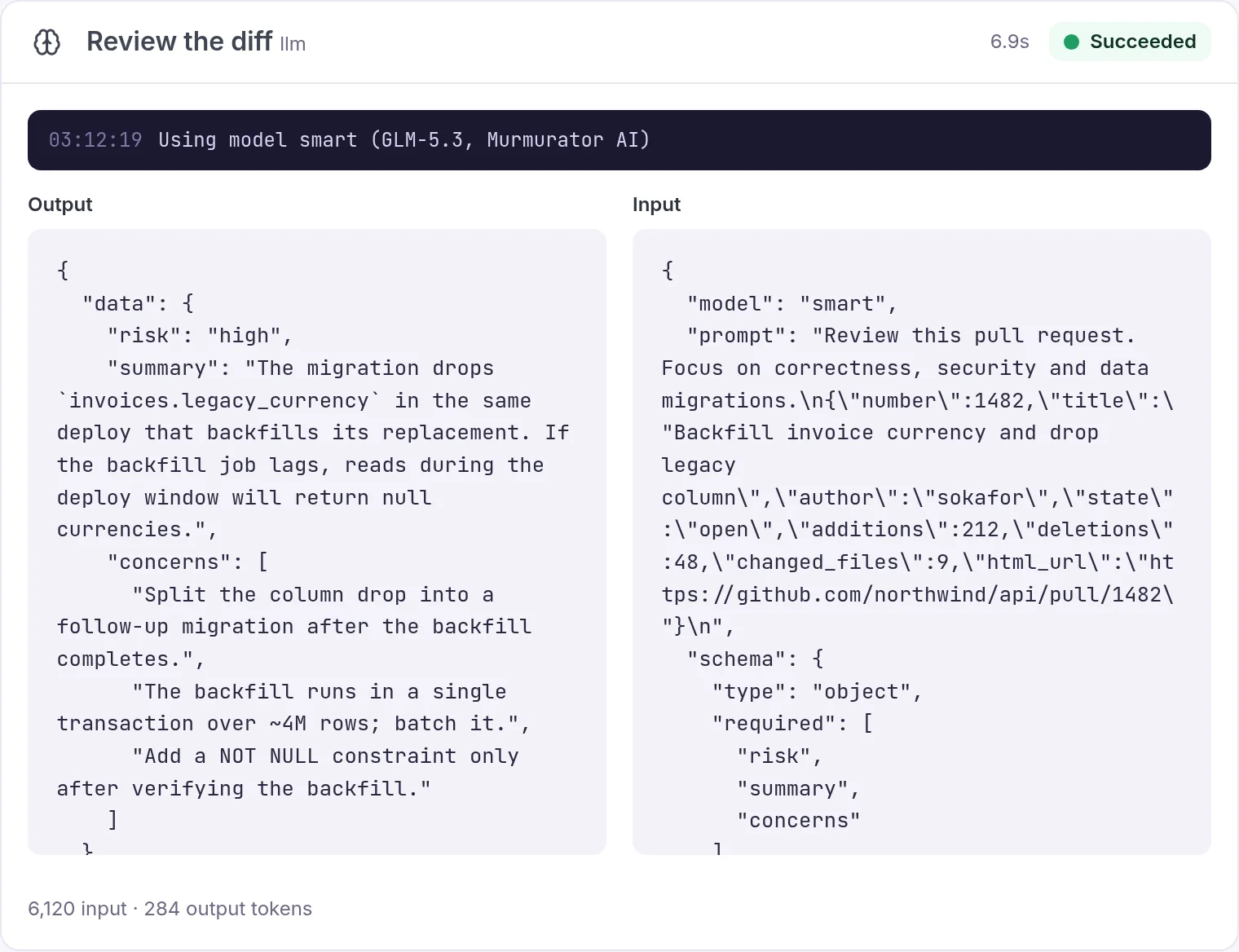
A run keeps what triggered it and, for every step, the rendered input, the output, the logs, the error and the tokens it spent. The answer to that question is a link rather than an investigation.
- Model output streams into the page token by token while the run is live
- Runs are pinned to the workflow version they started with
- Skipped steps show which condition skipped them
- Token counts and cost per step, per run and per account
Shared and versioned
A workflow belongs to the team, not to its author
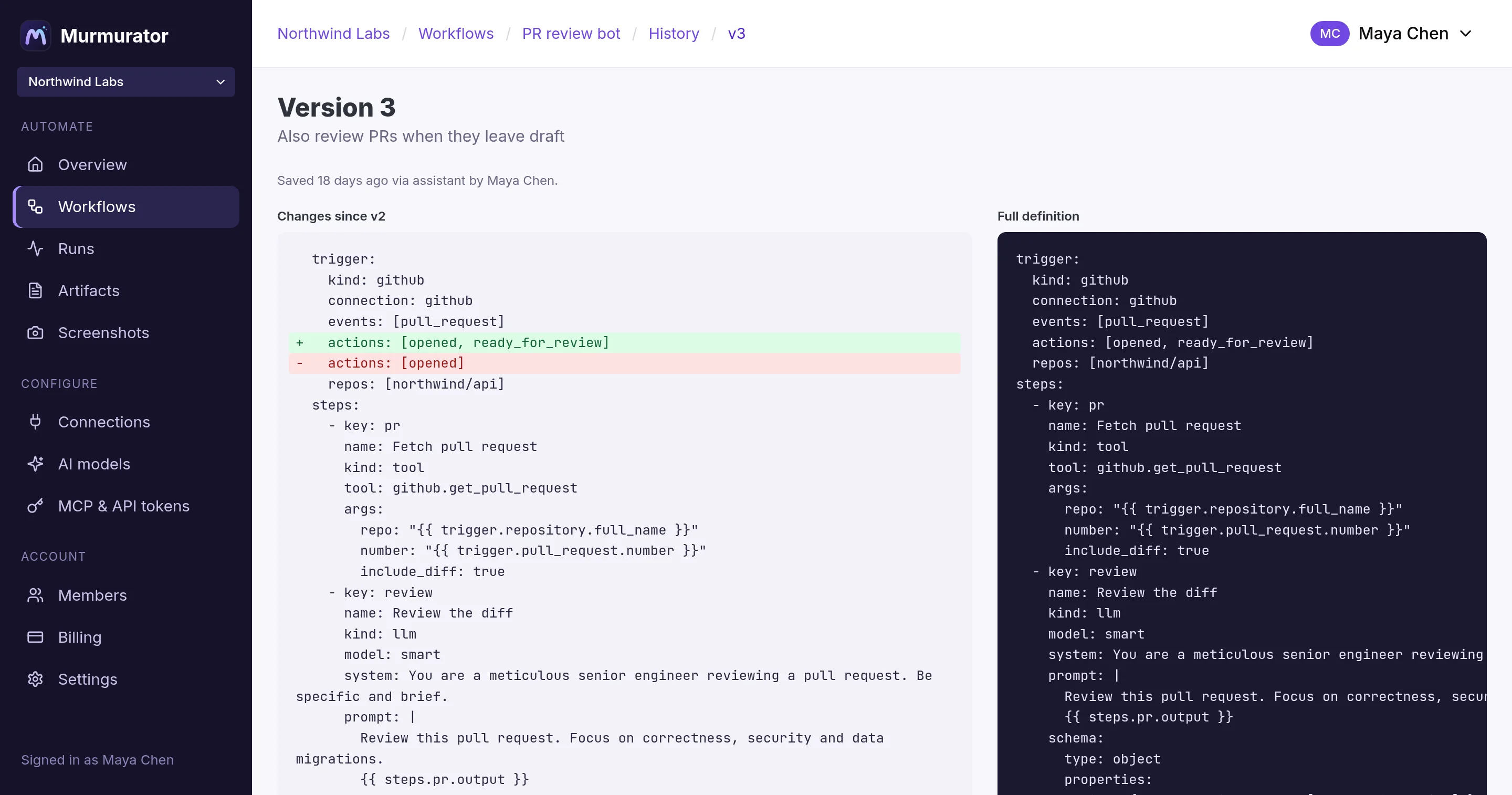
Everyone on the account sees the same definition and the same runs. Every save is a new version with a one-line summary, the person behind it and where it came from, whether that was a teammate, the assistant or an agent on your MCP server.
- Owner, admin and member roles, with connections and models managed centrally
- Compare any version against the one before it
- Improve the process once and everyone gets the improvement
- Nothing is edited in place, so nothing changes silently
Workspaces
The agent writes the code. Your tests decide whether it ships.
This is the whole idea in one workflow. A run clones your repository into a sandbox, hands the job to a coding agent, and then a deterministic step runs your suite. The exit code, not the agent's opinion of its own work, decides whether a pull request opens.
- Describe the job, not the edits: "the rounding test fails, find the cause and fix it"
- The folder lives in a Docker sandbox that cannot reach the host, and is deleted when the run ends
- Pushes use a connection you already scoped, so a run writes only where you allowed
 issue labelled “automate” → pull request- key: checkout
  tool: workspace.create
  args: { repo: northwind/api, connection: github }

- key: fix                # reasoning
  tool: workspace.agent
  args:
    prompt: "Fix this issue, and add a test
      that would have caught it.
      {{ steps.issue.output.body }}"

- key: tests              # verification
  tool: workspace.exec
  args: { command: "bin/rails test" }

- key: pull_request       # the rule
  if: { path: steps.tests.output.exit_code, equals: 0 }
  tool: github.create_pull_request
Getting one written
Describing it is the fast part
The structure is the point, but nobody wants to learn a YAML schema to get there. Say what should happen and the assistant drafts the definition, validates it against your account and saves a version you can read before it runs.
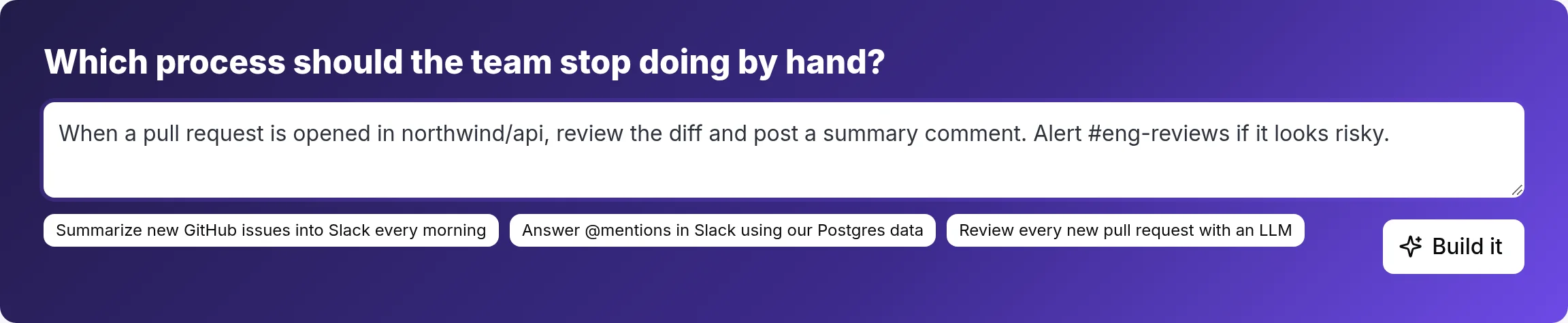
Describe the process
“When a PR opens in northwind/api, review the diff and alert #eng-reviews if it's risky.”
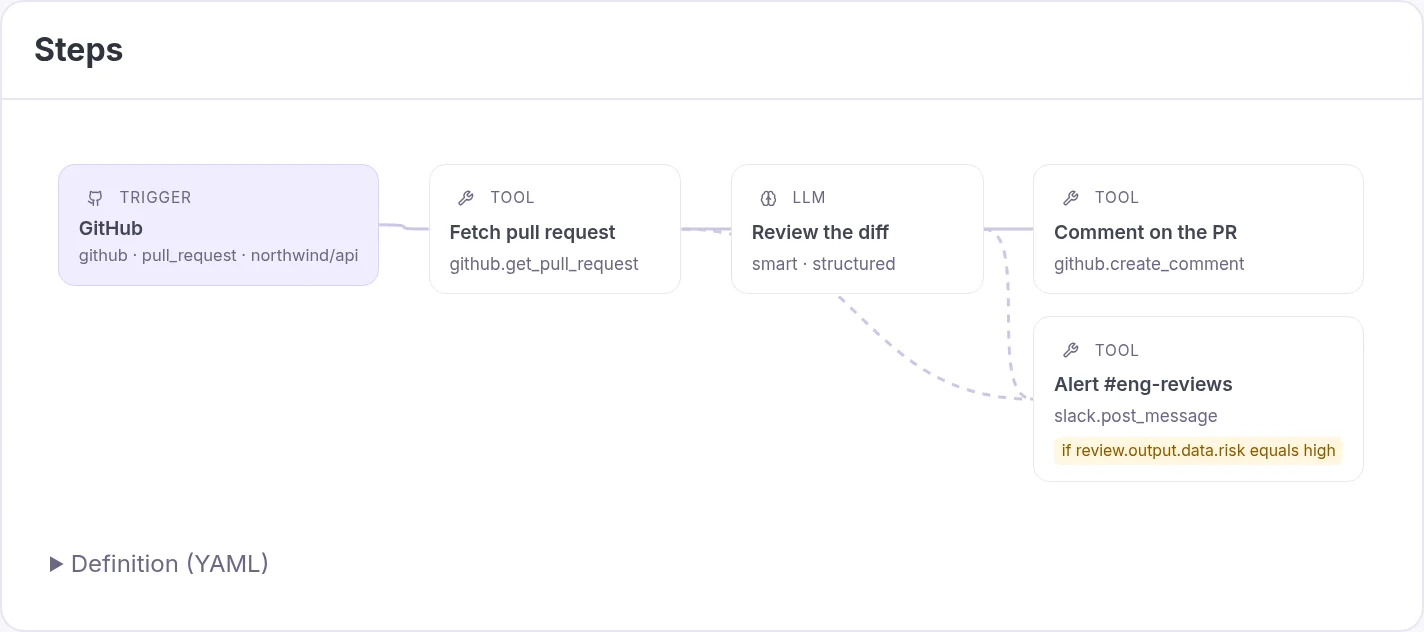
Review the definition
The assistant checks your connections and models, writes the steps, validates them and saves a version. You read the steps, the conditions and the budgets before anything is enabled.
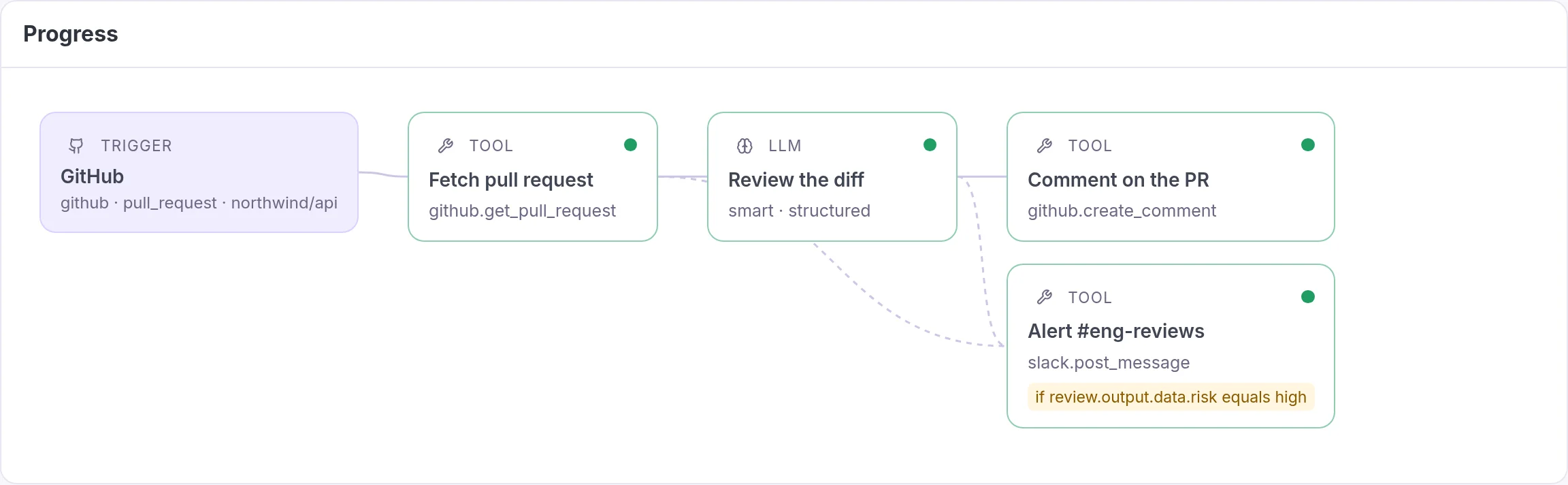
Hand it to the team
Enable the trigger and it is now how your organization does that task: same context, same rules, same record, whoever it runs for.
Take the tour
One place the whole team can watch it work
Chat with the assistant beside the workflow it's editing. The steps update the moment it saves a version.
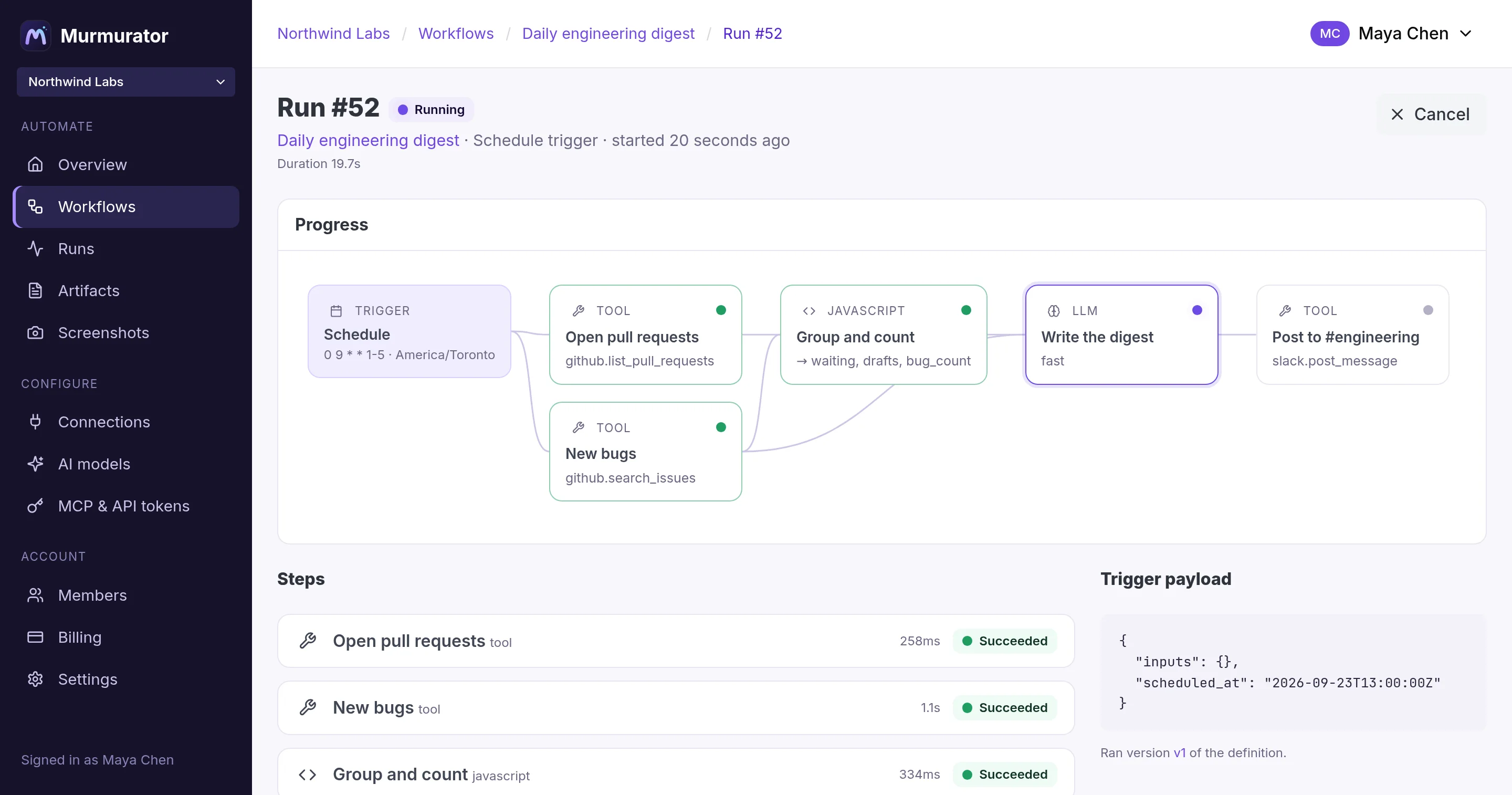
Runs stream in as they execute, with each step's input, output and logs as they arrive.
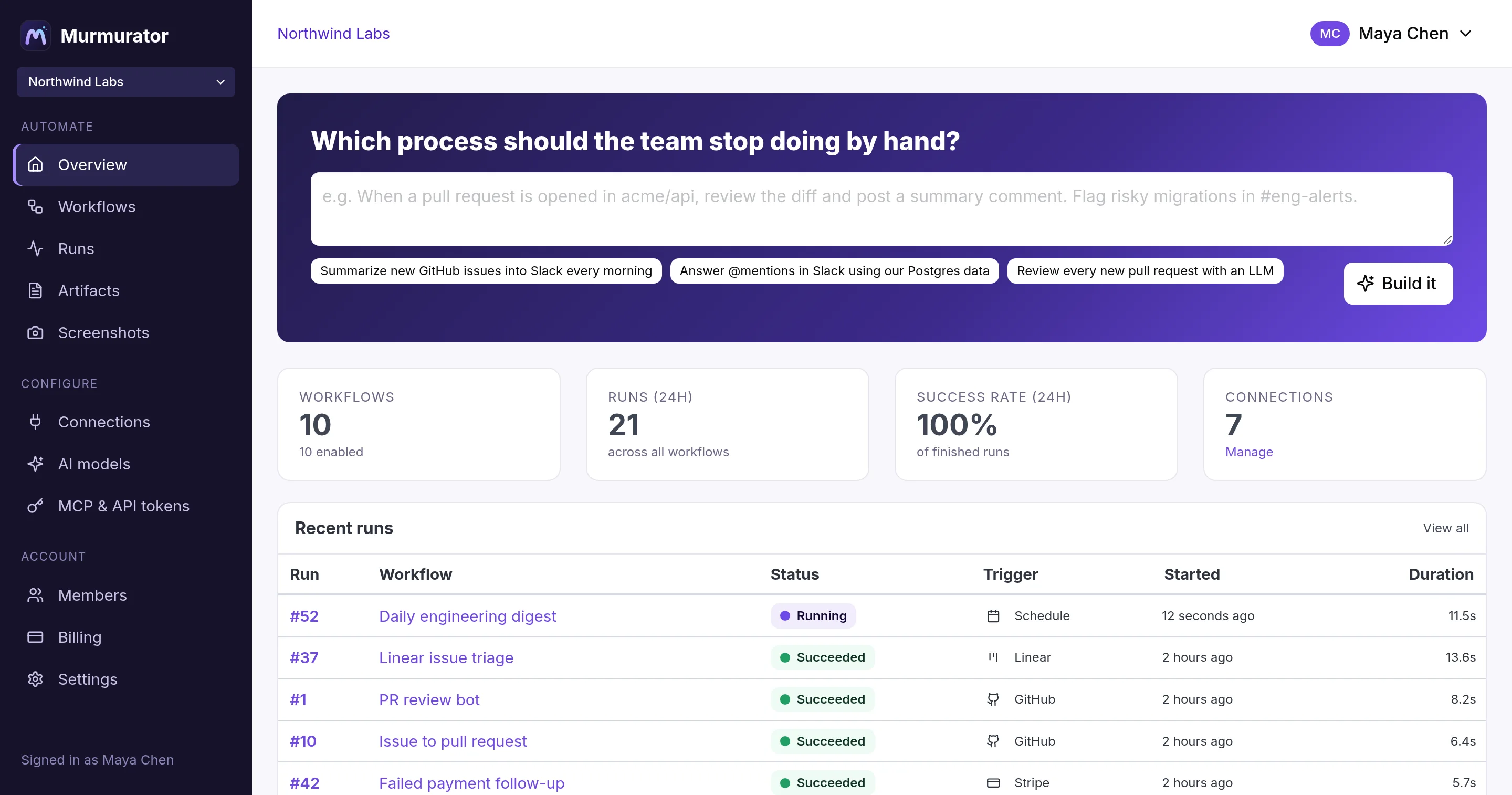
Every workflow and every run across the team, in one list.
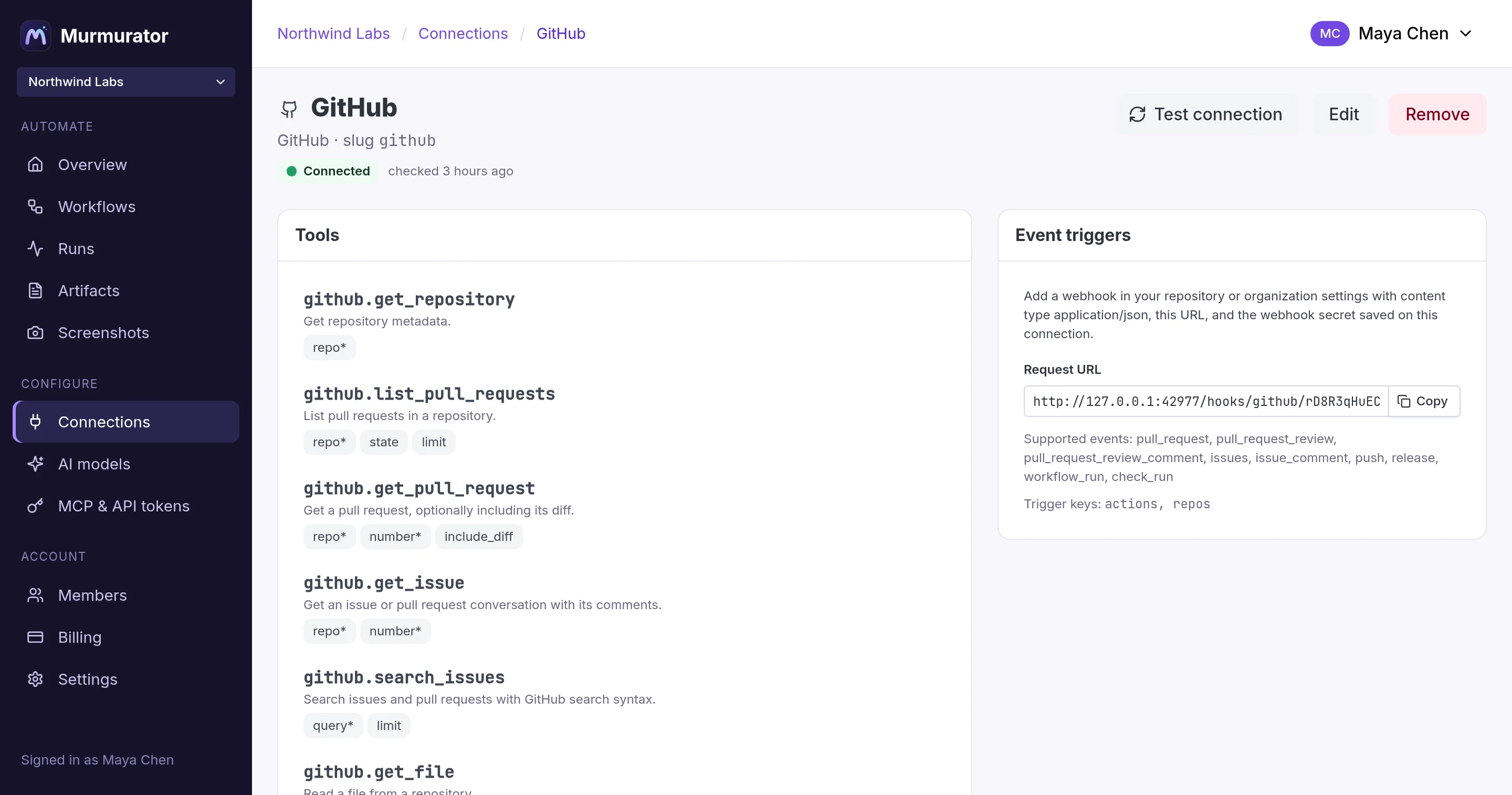
Scope GitHub, Slack, Stripe, Zendesk, your databases and dozens more once. Credentials stay encrypted and out of your definitions.
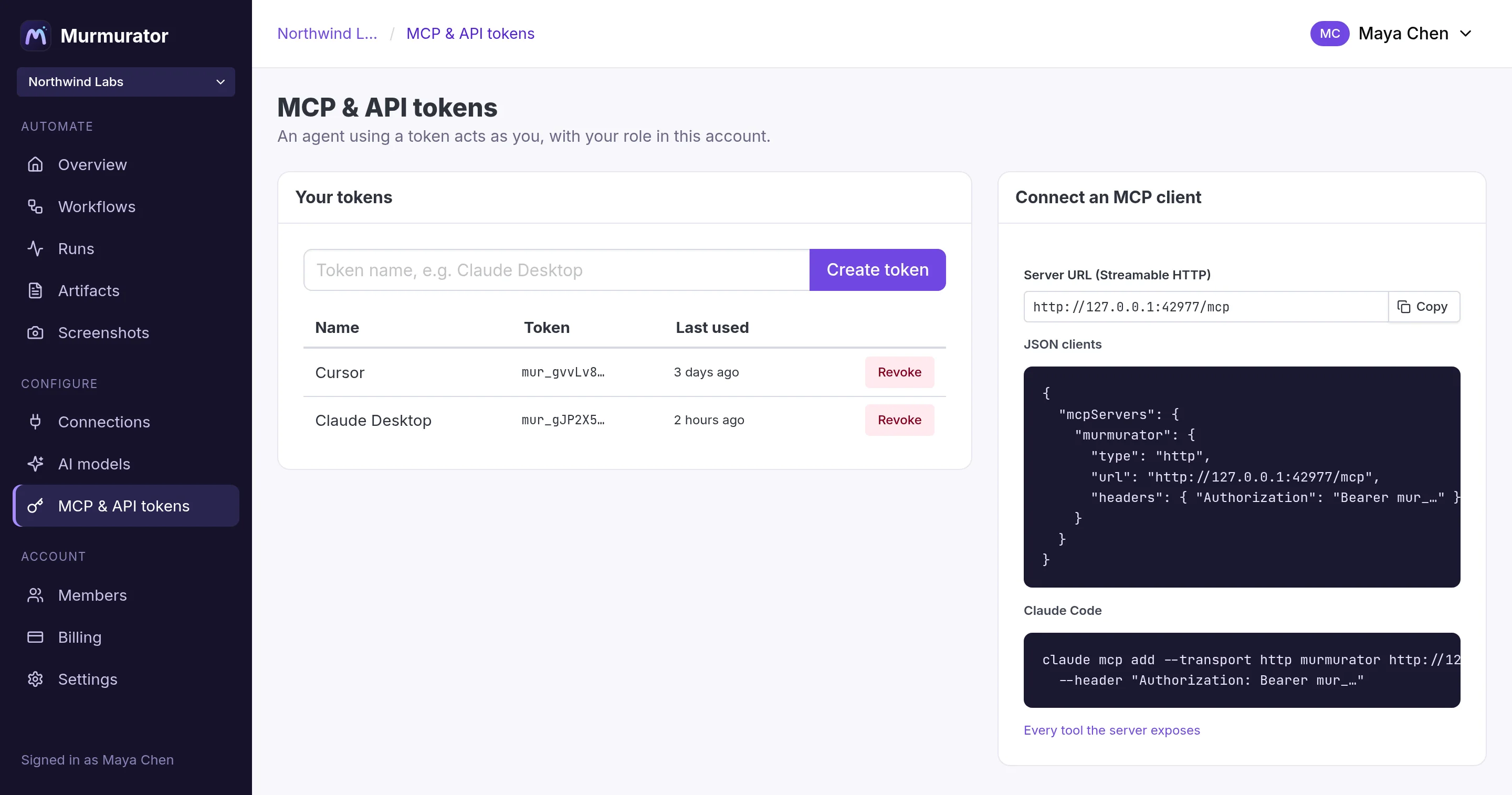
Give your own agents the same tools, held to the same roles.
In production
Built for the workflows you depend on
An experiment can be restarted by hand. A process the business runs on cannot, so the engine is written for the second case.
Runs survive restarts
Every step is a checkpoint, and agent steps checkpoint between turns. A worker that goes away mid-run is picked up and resumed from the step boundary it reached. A step is never executed twice.
Versions are pinned
A run keeps executing the version it started with, so a save halfway through cannot change what an in-flight run is doing.
Spend has a ceiling
Per-run and monthly budgets on tokens, cost, agent turns and duration, plus an account-wide monthly spend limit on built-in models. A step over its budget fails with a clear error rather than running up a bill.
Blast radius is configured, not hoped for
Connections carry allow-lists for repositories, channels, teams, paths and recipients. Database tools are read-only until you opt in. Code runs in a sandbox that gets only the one secret a command needs.
MCP server
Your own agents build inside the same frame
Point Claude, Cursor or an agent you wrote at the MCP server with a personal token. It designs, validates, runs and debugs workflows with the tools the assistant uses, held to the role of the person the token belongs to. What it builds lands as a version with its name on it, like everything else.
See what agents can do →claude_desktop_config.json{ "mcpServers": { "murmurator": { "type": "http", "url": "https://murmurator.app/mcp", "headers": { "Authorization": "Bearer mur_…" } } } } # list_workflows · create_workflow · validate_definition # run_workflow · get_run · test_javascript · …
Models
Built-in models, or your own keys
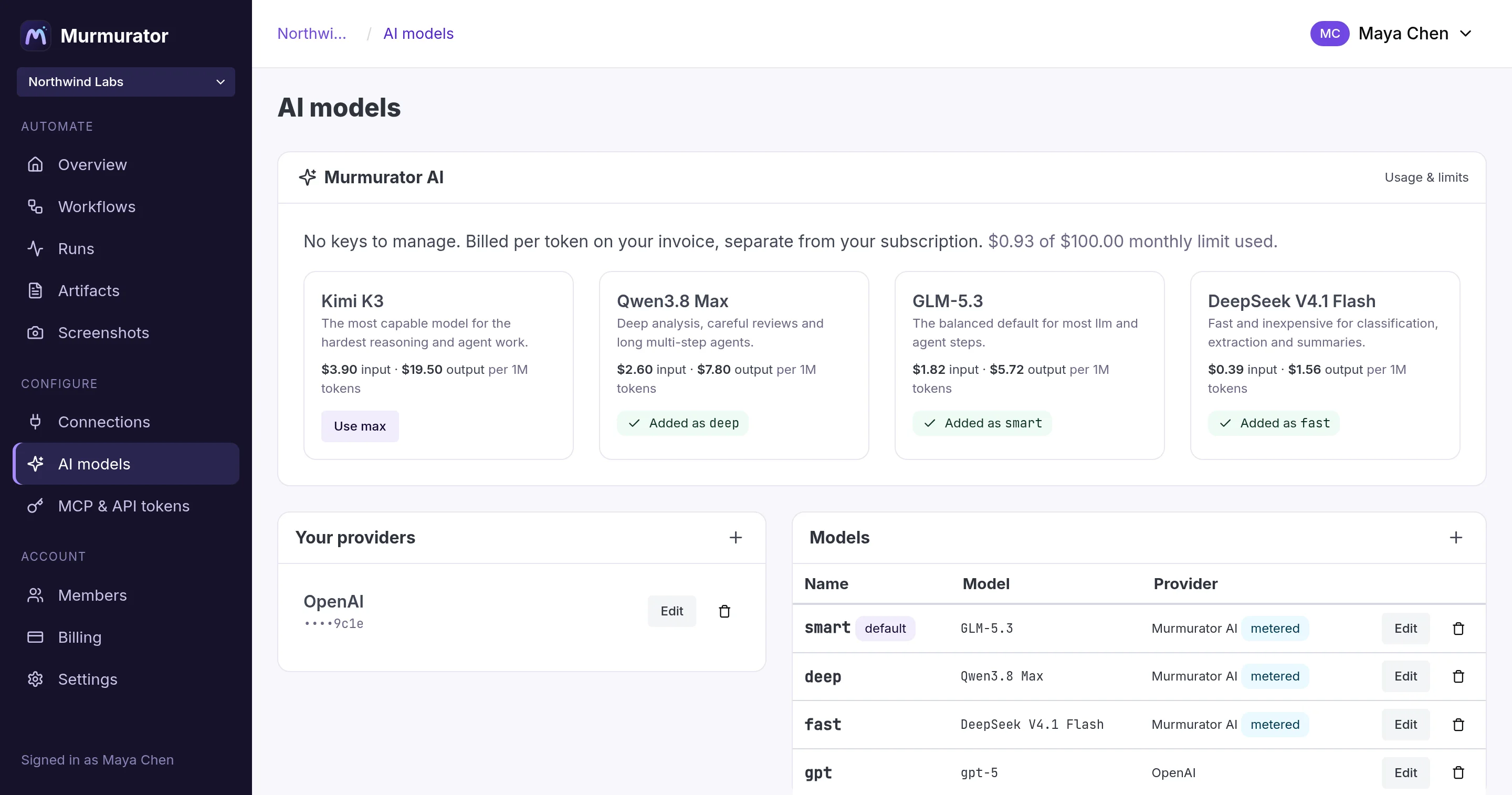
Every llm and agent step picks a model by name. Point that name at Murmurator AI and skip provider setup entirely, or at your own Anthropic, OpenAI or Gemini account. Swap what sits behind a name without touching a workflow.
Murmurator AI
Kimi, Qwen, GLM and DeepSeek, ready the moment you sign up. Pay per token from prepaid credit, with auto-recharge and a spend limit you control. New accounts include $5 of usage.
| Model | Input | Output |
|---|---|---|
| Kimi K3 | $3.90 | $19.50 |
| DeepSeek V4 Pro | $2.26 | $4.52 |
| GLM-5.3 | $1.82 | $5.72 |
| DeepSeek V4.1 Flash | $0.39 | $1.56 |
Per 1M tokens.
Your own providers
Add keys for Anthropic, OpenAI, Gemini, OpenRouter, Mistral, DeepSeek, xAI or Ollama. You pay your provider directly under your own agreement, and Murmurator adds nothing.

Examples
Processes other teams have standardized
Each one is a complete definition: the trigger, the context it gathers, where the model reasons, and the rules around it. Read them, then make them yours.
Built for trust
Your keys, your data, your rules
Your choice of models
Use built-in models billed per token, or your own provider keys with nothing added. We never train on your data.
Encrypted credentials
Connection secrets and API keys are encrypted at rest and never appear in workflow definitions or run logs.
Read-only by default
Database tools run in read-only transactions with timeouts and row caps unless you allow writes.
Team roles
Owners and admins manage connections and models. Everyone can build and run workflows.
Make one process the company's, not one person's.
Murmurator is invite-only. Already invited? Sign in and build something real.